💼 Case Studies
Examples of my experience as a Design Leader
- Org Growth and Scaling
- eCommerce Strategy & Design
- Player-coach
- Leading AI Adoption
- Leveraging Discovery to Delivery
- Strategic Visioning
- Cross-functional Influence
- Data Visualization
- Modeling Craft and Acumen
- Service & Systems Design
- Contact Center research
- Research practice from scratch
- Strategic Partnership
- Design System leadership
🛠️ Projects & Products
Projects and Products I've led
Exadel /
FEMA Community Rating System
Exadel
Exadel is a global custom software consultancy with teams across the US and Eastern Europe. I led product design out of the Boulder, CO location, working with an international portfolio of enterprise clients across financial services, government, publishing, and startup product development.
👇 Skip the preamble and jump straight to the case study:
-
🫡 Director of Product Design I led UX, information architecture and the prototype's visual design, working directly with the client to shape the experience.

💼 Case:
The Community Rating System (CRS) is a voluntary program of the National Flood Insurance Program (NFIP). It encourages local communities to take part in, and manage, activities that prepare their floodplains for flooding.
At Exadel, our client's goal was to take an extensive, questionnaire-style manual that communities received as a PDF and turn it into an interactive application that guided them through it, step by step.
⚠️ The problem:
The manual was extensive, and it lived in a PDF. Just as importantly, the new application needed to collect and save the documentation that proved each community's participation in flood preparation. FEMA's own representatives then needed a way to review it all.
🛠️ Process:
Information architecture as a collaboration tool
Working closely with the client, my team built detailed wireframes around their requirements. They let us plot out a system that matched both the client's needs and the needs of the communities using it. This was typical of how I approached Discovery at Exadel - collaboratively understanding the service and challenges, then shaping the solution together with both internal and external stakeholders.
The wireframes also became a collaboration tool: my team and the client could both respond, right on the page, to questions about specific features and functions.
-
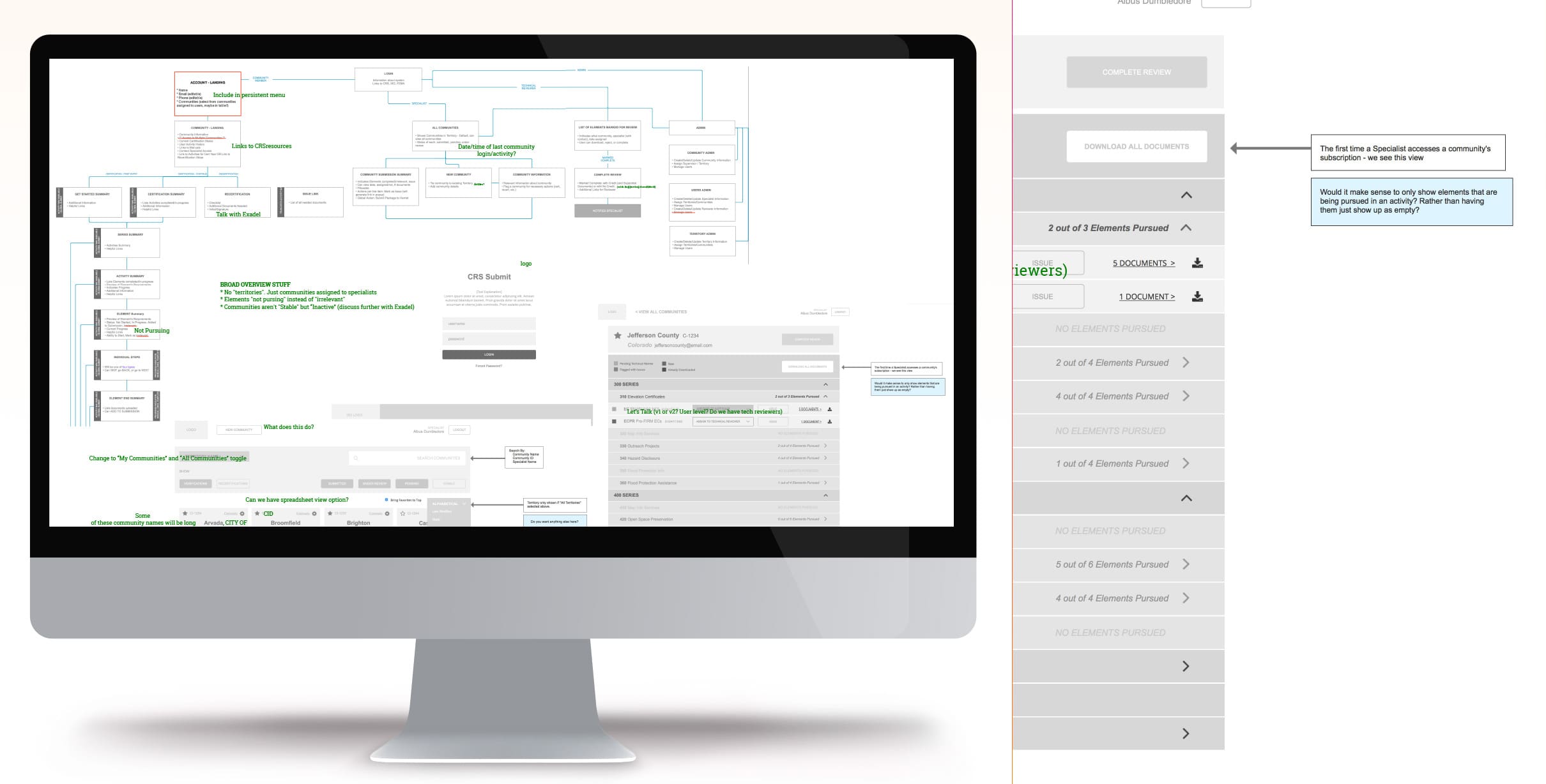
The architecture of the experience, with questions and answers left right on the wireframes.
A clickable, high-fidelity prototype
Before the product was truly built, the client needed to win FEMA's support. They asked us to bring the concept to life as a clickable, high-fidelity prototype for that pitch.
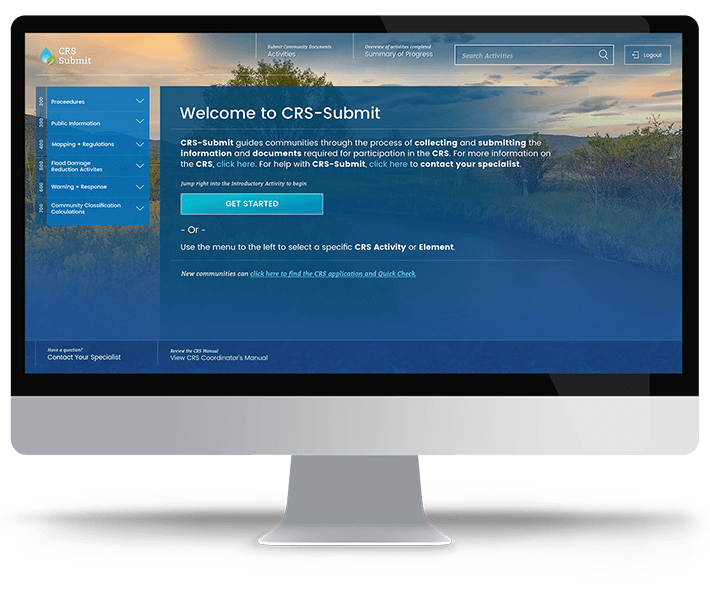
I drew from FEMA's color palette and brought in imagery that felt related to the topic, scenic rather than focused on floods. I organized the manual's extensive suite of sections and questions into an easy accordion navigation on the left.
-
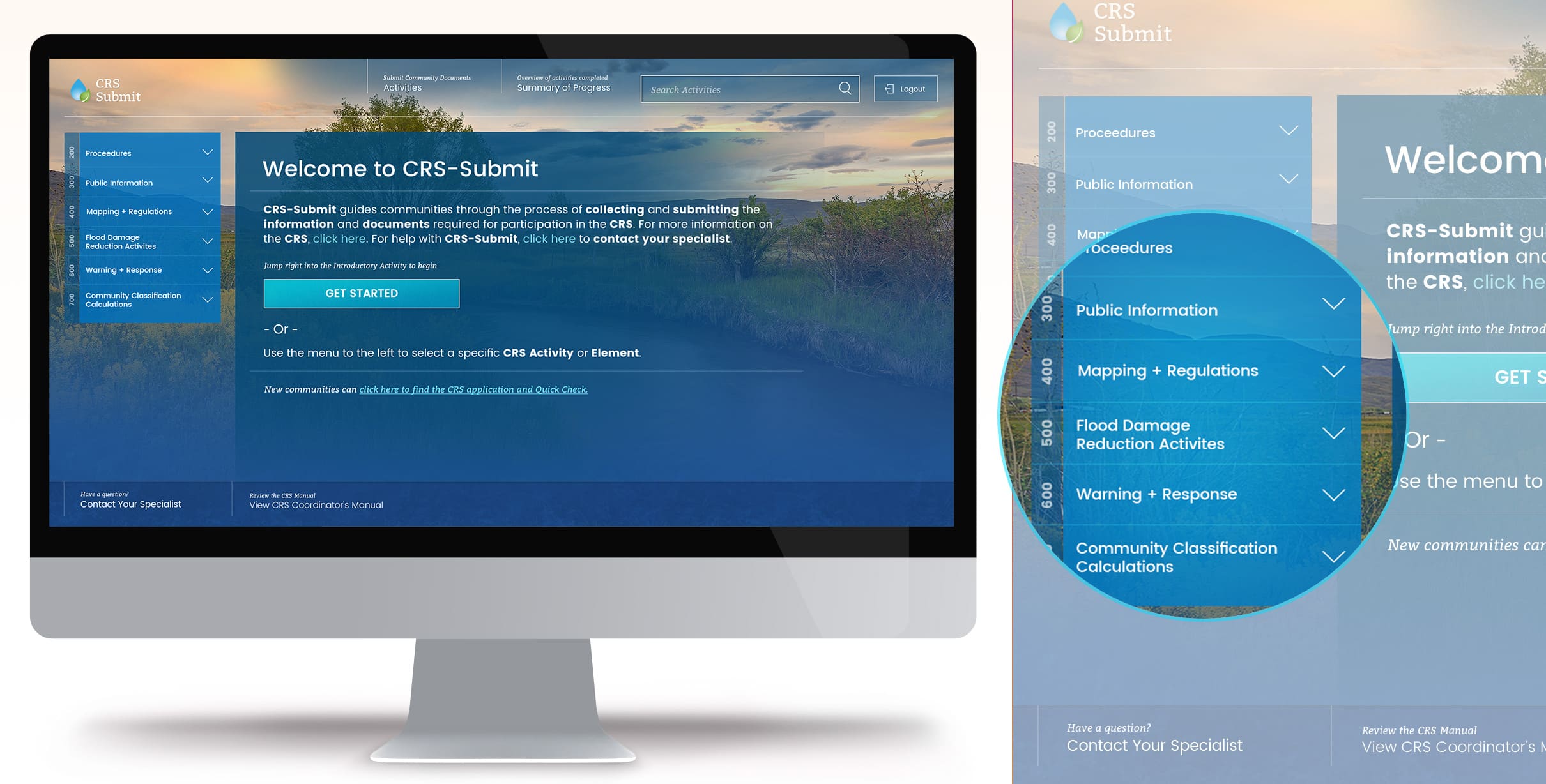
The prototype's welcome screen, with the manual's sections in the accordion navigation on the left.
Keeping communities oriented
Any good question-and-response system needs to tell people where they are and how far they've come, to keep them engaged. I brought in progress bars and plain statements of exactly which step was showing.
Most critical was keeping communities aware of how many documents they'd completed or uploaded alongside their progress through the activities.
-
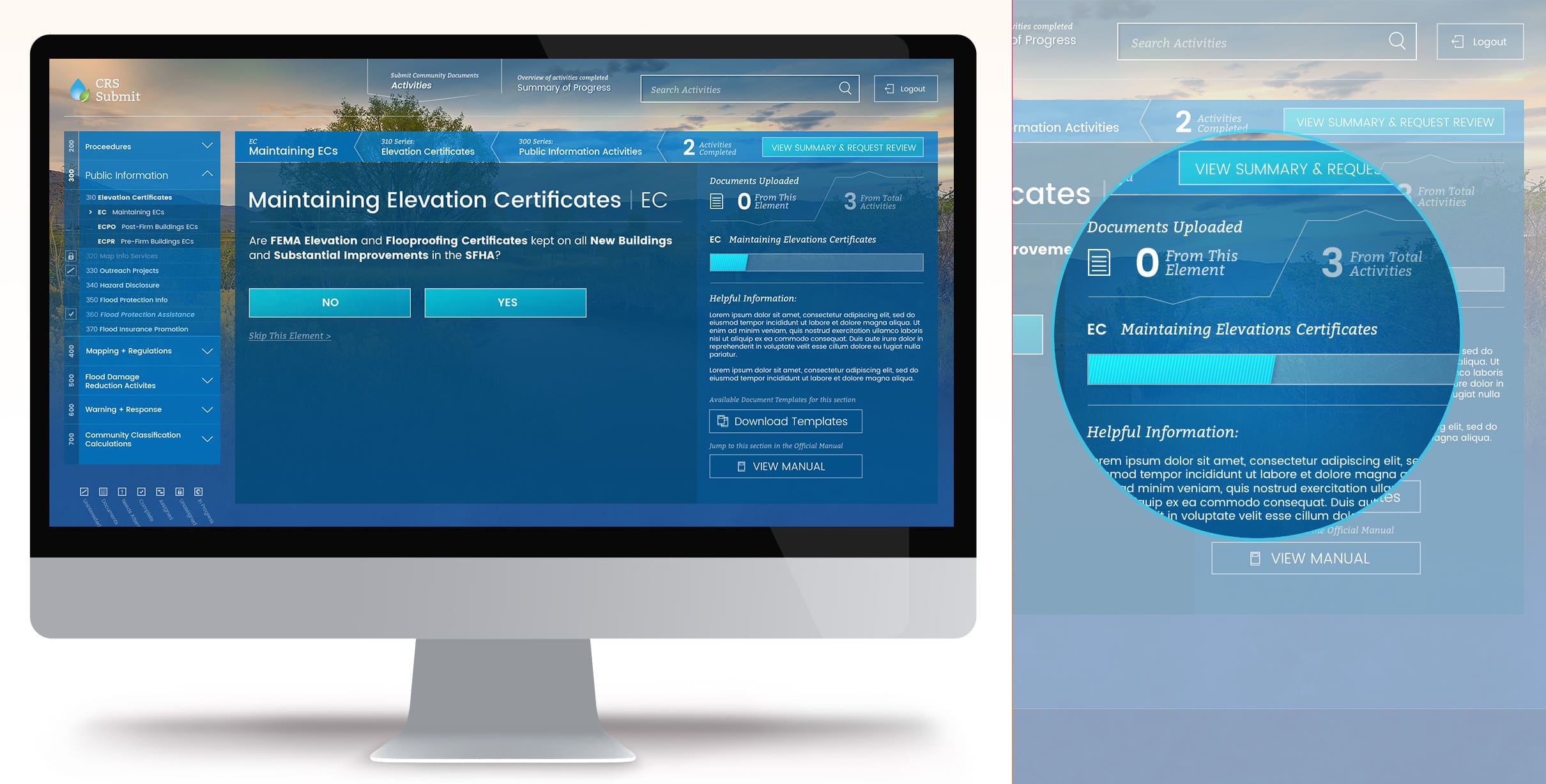
Step indicators, a progress bar and a running count of uploaded documents keep each community oriented.
Uploading and tracking documents
One of the app's most important features was letting communities upload and manage the documents behind their participation. The interface shows both where and how to upload, and what's uploading.
An icon legend shows at a glance which categories of activities are underway, complete or not yet started, and a limited color palette keeps the design feeling spacious, drawing focus to the next call to action.
-
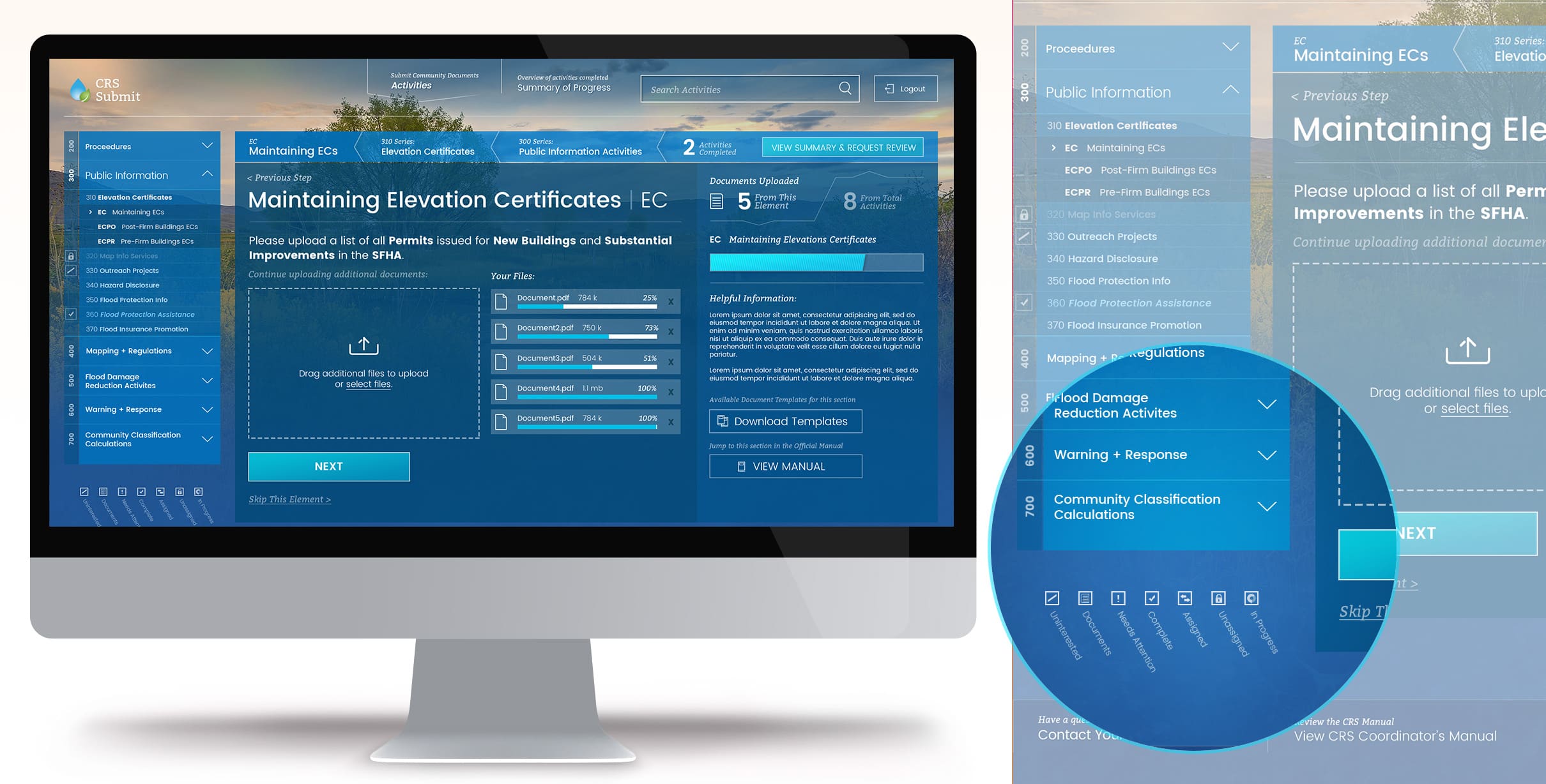
Uploading documents, with each file's progress and the status legend for activities.
A checkout-style summary of progress
Much like an e-commerce checkout summary, this view gave each community a chance to double-check its progress, count its uploaded documents and make any changes before submitting. An accordion kept the extensive list easy to move through.
-
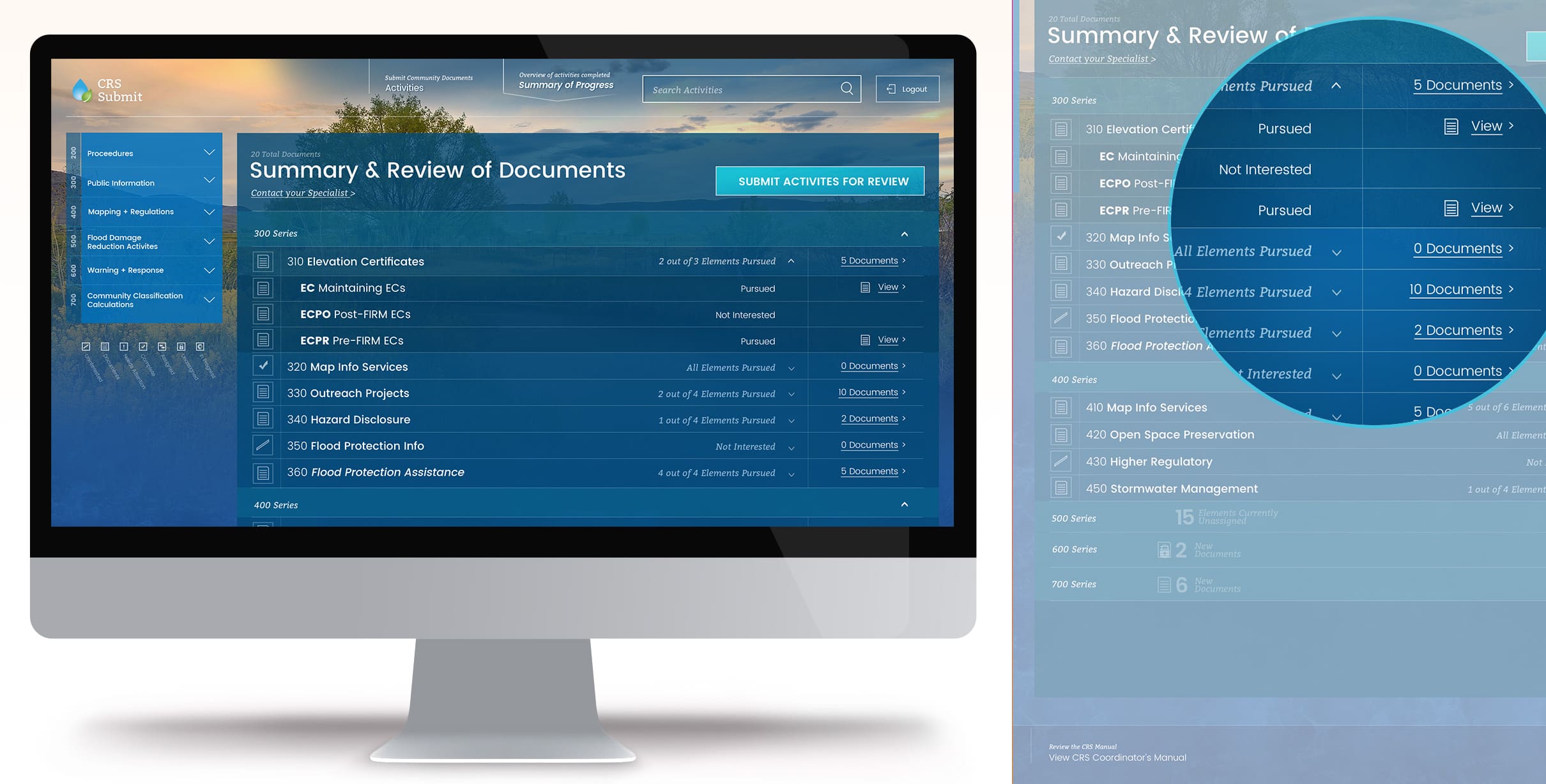
The summary and review of documents, before a community submits its activities for review.
The CRS Specialist view
The app served two audiences. Beyond guiding communities through documenting their flood preparedness, it gave FEMA's CRS Specialists a way to see each community's progress and easily download its documentation for review.
-
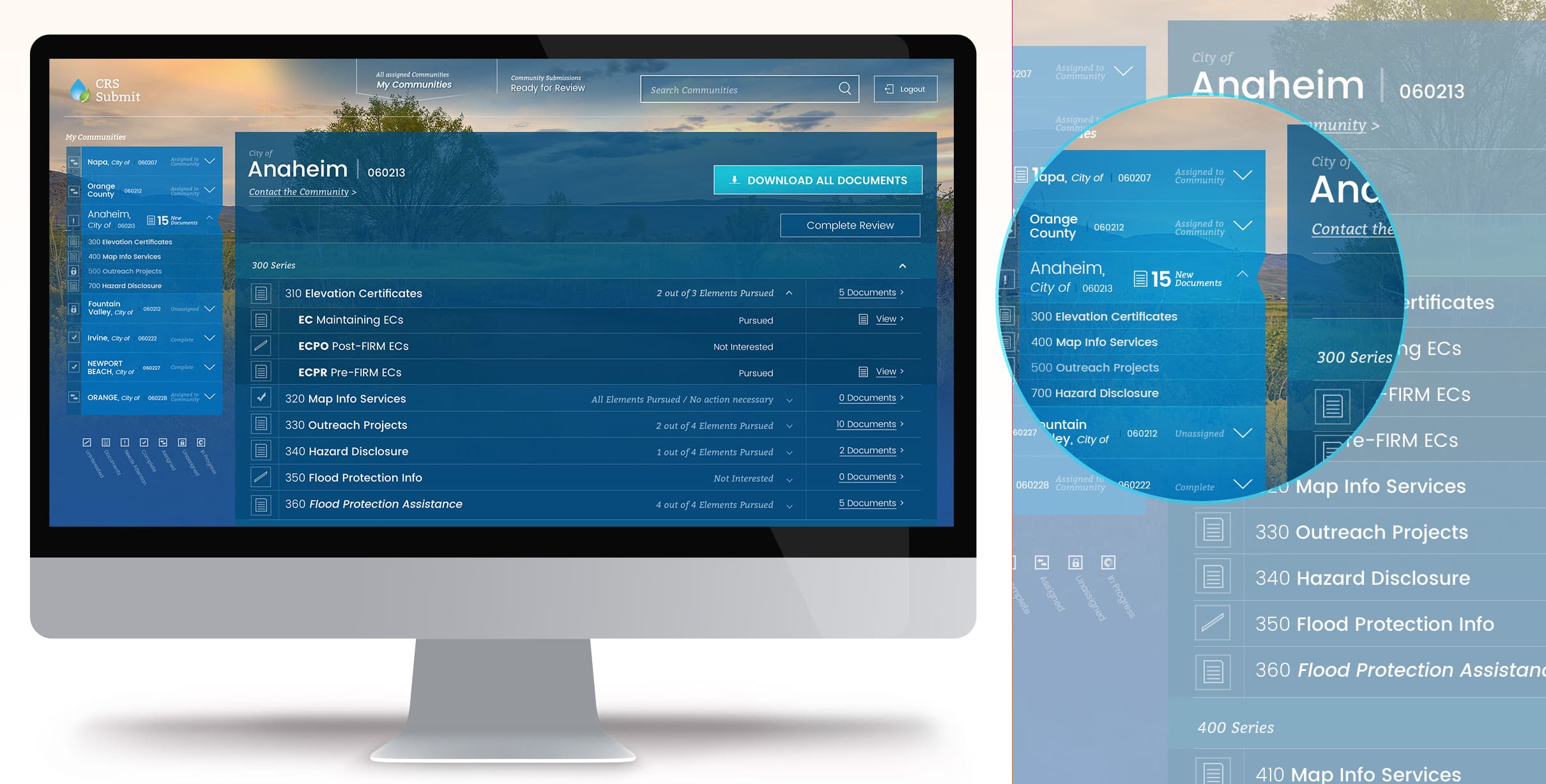
The CRS Specialist view: assigned communities, each one's progress, and every document a click away.
✅ Results:
Working in a consulting environment like Exadel, you don't always get to see the final state of work that you jump into with a customer and then hand off when the engagement runs its course. With this project, I successfully and collaboratively fleshed out an interactive system that encompassed an arduous existing PDF process that was a previous barrier to access and data. My team and I passed over a functional prototype for the organization to take back and seek funding, completing our engagement.
→ FEMA's Community Rating System also appears in my data visualization case study.
✉ Contact me to discuss this product and work in more detail.
Related Case Studies
My ExperienceTelling stories with
Data Visualization
by conveying understandable insights
My ExperienceStrategically Aligning
Users to Business Value
leveraging Discovery
My ExperienceCross-departmental
Customer Success
partnership built on mutual benefit